
MicroCode User Guide
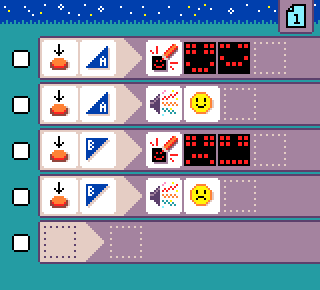
The MicroCode User Guide provides detailed instructions on how to use the MicroCode editor for programming the micro:bit V2. This tool is designed for children aged 6-9, allowing them to create programs without needing an extra computer or internet connection. Key features include:
- Visual Programming Model: Based on Kodu, it offers a kid-friendly, icon-based structured code editor.
- Arcade Shields: Enables on-the-go programming with familiar game console controls.
- Sample Programs: A variety of sample programs to help users get started quickly.
- Hex Files: Localized hex files available in over 20 languages for easy programming.
- Robotics Integration: Control micro:bit robots to follow lines and avoid obstacles.
- Jacdac Accessories: Extend functionality with various accessories like LEDs and servos.
This guide also includes sections on purchasing hardware, getting started, hands-on resources, and community contributions, making it a comprehensive resource for educators and young programmers alike.


