
Introduction to Smiley Buttons
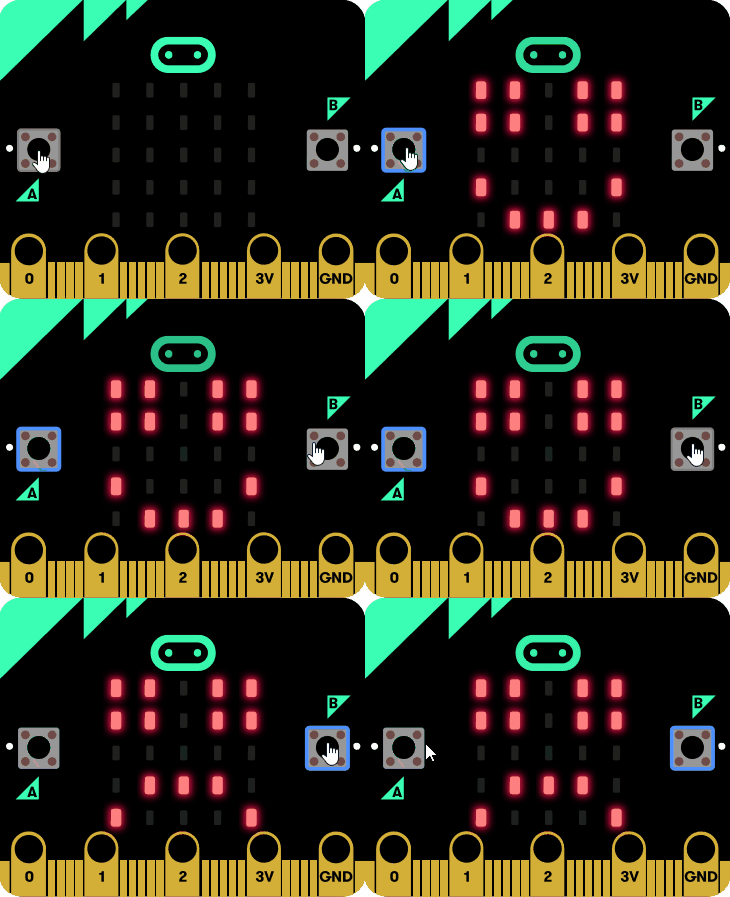
The Smiley Buttons project is an engaging tutorial designed for users of all ages to learn how to program the micro:bit device. This project allows users to create a simple program that displays a happy or sad face on the micro:bit's LED screen when the corresponding buttons are pressed.
Key Features:
- Interactive Learning: Users can directly interact with the micro:bit simulator to see their code in action.
- Step-by-Step Instructions: The tutorial provides clear, sequential steps to guide users through the programming process.
- Visual Feedback: Users receive immediate visual feedback by seeing the happy 😀 or sad 🙁 emojis on the micro:bit.
- Encourages Creativity: Users are encouraged to expand the project by adding more features, such as a secret emoji.
Use Cases:
- Educational Settings: Ideal for classrooms and coding clubs to introduce programming concepts.
- At-Home Learning: Perfect for parents and children to explore coding together in a fun and interactive way.
- STEM Activities: Can be used in STEM programs to teach basic programming and electronics.